
Real-time microphone mixer
Reduce background noise and adjust mic gain on Windows, macOS, and Linux. Choose which apps hear your original microphone and which hear your mix.
Download OrviaCompare noise filters
Audio credits
- Speech
- IETF / Opus Codec working group · CC BY 3.0
- Air conditioner
- Gravity Sound · CC BY 4.0
- Keyboard
- Yuyudevil · Public domain
Orvia mixed the recordings, applied each filter at 100% gain, and aligned the clips for playback.
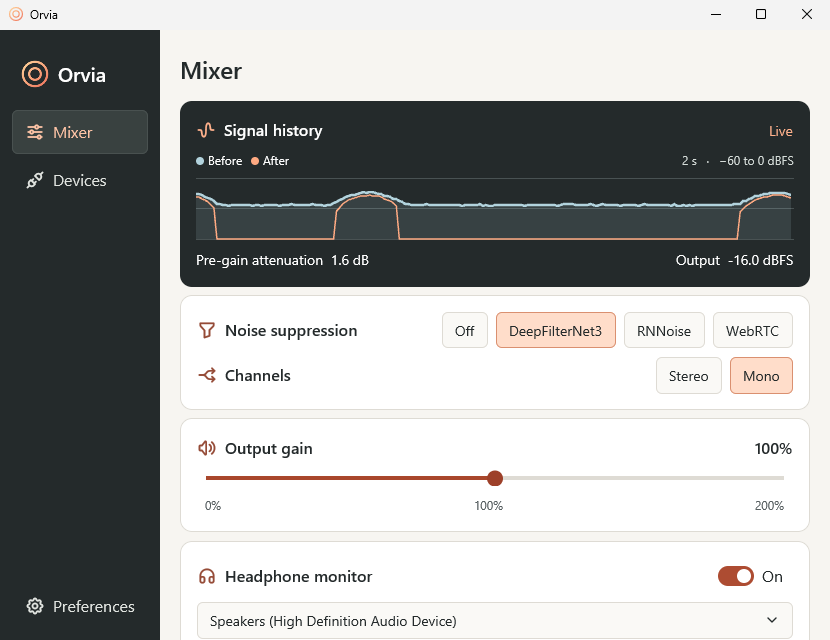
Inside the mixer
 Local noise suppression
- Process your voice on your computer with DeepFilterNet3, RNNoise, or WebRTC.
 Signal history
- Watch your mic level before and after noise suppression as you speak.
 Channels and gain
- Keep stereo or mix down to mono. Set output gain from 0% to 200%.
Route audio to your apps
Select an input in each app’s microphone settings.
 Physical micOriginal audio
 Virtual micOrvia mix
Platform support
| System | Installer | Virtual microphone |
|---|---|---|
| Windows 11 x64 | MSI | Virtual Audio Cable or Wave Link |
| macOS 13+ | DMG · Apple Silicon or Intel | BlackHole 2ch |
| Ubuntu 24.04 x64 | DEB | Included for PipeWire |